Google “best free AI image generators” today, and most top lists feed you the same freemium traps—ChatGPT, Gemini, Canva, Leonardo, Ideogram, and Adobe Firefly.
Most hand you a tiny daily or weekly credit drip, lock flagship models behind a paid plan, or bury your drafts in a public gallery. They are technically free, sure. But only if you actually need five variations of one concept.
A better tier sits just behind the search results: open-source local apps, volunteer GPU networks, blind model arenas, and ad-supported web tools. Checked against live pricing pages, terms of service, hardware docs, and recent community threads, these seven actually stay free—and each one makes the real GPU tradeoff obvious.
What Is the Best Free AI Image Generator?
No single tool wins every use case, because someone still has to pay for the graphics card. Pick based on how much control, speed, and privacy your workflow needs:
- Easiest browser pick with zero sign-up: Perchance runs unlimited text-to-image generations straight in your browser for free, funded by display ads.
- Best free access to frontier paid models: Arena AI’s Image Arena puts top models like GPT-Image-2.5 and Gemini Nano Banana 2.1 in blind head-to-head prompts at zero cost.
- Best free way to run top open-weight models in the cloud: Hugging Face Spaces on ZeroGPU gives you 2 minutes a day unauthenticated—or 5 minutes with a free account—on shared Blackwell GPUs.
- Best truly unlimited offline generators: Draw Things on Mac, iPhone, and iPad, or Krita AI Diffusion and InvokeAI Community Edition on Windows, Linux, and macOS.
Limits, models, and terms checked November 21, 2026.
Best Free AI Image Generators Compared
Every tool below generates images at $0 with no visible watermark on output and zero credit card required.
| Tool | Where it runs | Free limit & sign-up | Main catch |
|---|---|---|---|
| Perchance | Browser (cloud) | Unlimited, no sign-up | Display ads, basic controls, undisclosed models |
| AI Horde (ArtBot) | Browser (volunteer cloud) | No daily cap, optional login | Slow queues at 0 Kudos, big jobs need Kudos, prompts cross volunteer PCs |
| Hugging Face ZeroGPU | Browser (shared GPUs) | 2 min/day anon, 5 min/day free account | Daily time ceiling, shared queue waits |
| Arena AI (Image Arena) | Browser (cloud) | Free battles, daily usage limit | Broad terms license on prompts and outputs |
| Draw Things | macOS, iOS, iPadOS | Unlimited local; free cloud account | Apple-only hardware for local runs |
| Krita AI Diffusion | Windows, Linux, macOS | Unlimited local, no account | Needs a discrete GPU or Apple Silicon |
| InvokeAI Community | Windows, Linux, macOS | Unlimited local, no account | Needs 4GB–24GB VRAM depending on model |
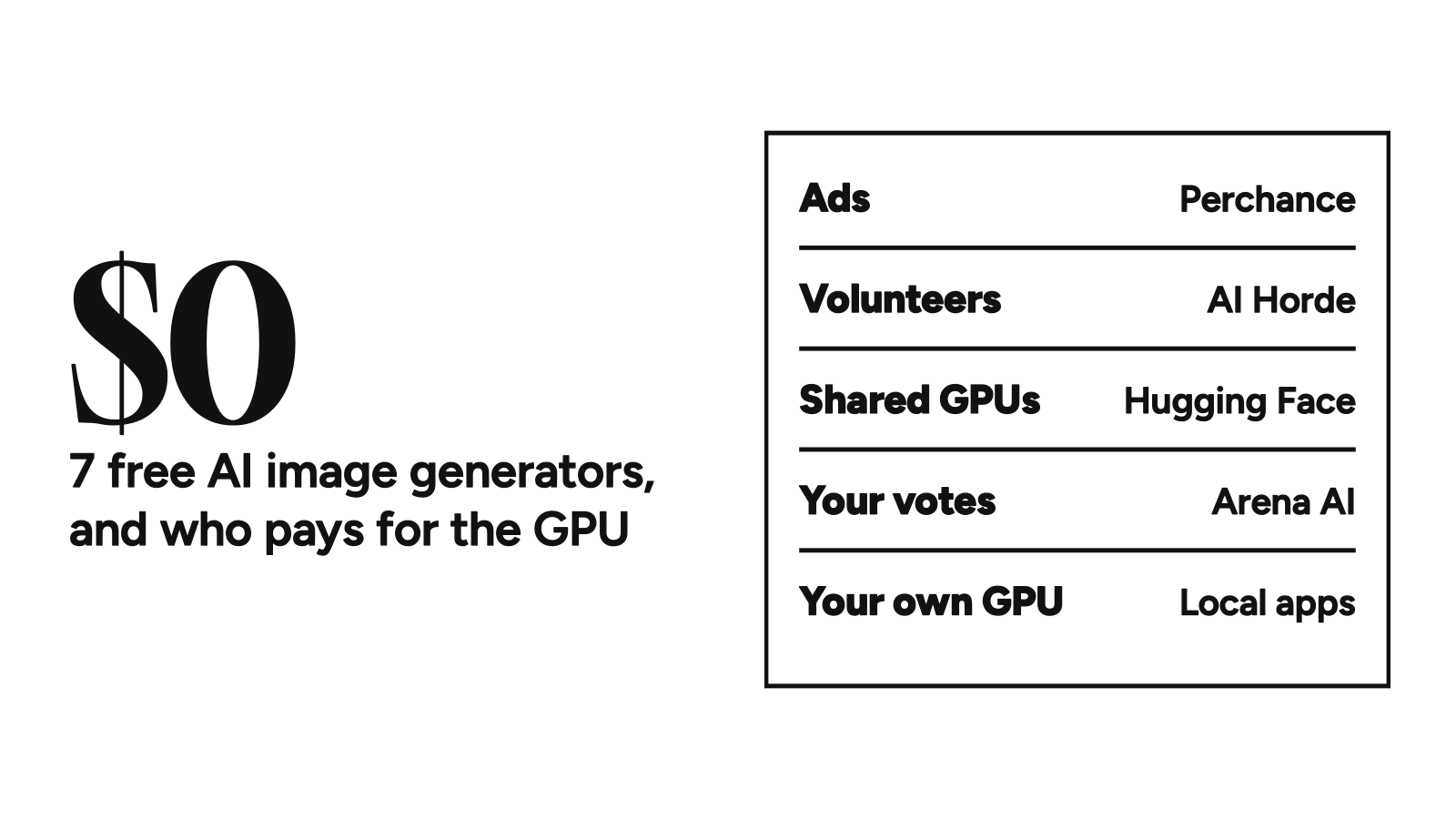
Free AI compute never disappears—it just moves. Either ads pay for it, volunteers donate it, your blind votes subsidize a benchmark, or your own silicon does the work.
Free AI Image Generators With No Sign-Up (Browser)
If you want a free AI image generator with no sign-up and zero installation, three lesser-known web routes beat the usual credit-drip apps.
1. Perchance
Perchance is a site for building random text generators, and its AI image plugin grew into one of the best-known unlimited free AI image generators online.
Open the main generator, type a prompt, pick a style preset, and hit generate. No login, no watermark, and no daily quota.
Its real hidden-gem edge is remixability. Every generator built with Perchance’s text-to-image-plugin exposes its HTML and JavaScript—so if you dislike a community page’s layout, styles, or prompt wrappers, you can view the source and fork your own copy on the spot.
The tradeoffs are spelled out in the community-maintained Perchance AI FAQ. The developer does not publish the exact models or generation settings (the FAQ, last edited in July 2024, describes them as Stable Diffusion-based and switched by prompt type), and banner ads fund AI pages whenever you browse logged out. You also skip image-to-image editing, inpainting, LoRAs, custom resolutions, external API calls, and off-site embeds.
Only pictures you explicitly push to the public gallery stay on Perchance’s servers. Perchance puts zero commercial restriction of its own on downloads, leaving model-license compliance up to you.
2. AI Horde via ArtBot
AI Horde is the closest thing image generation has to Folding@home—a volunteer GPU cluster funded by donations and open-internet grants like NLnet / NGI0 Core, with zero cryptocurrency or blockchain strings attached (AI Horde FAQ). Open an open-source web frontend like ArtBot, enter a prompt, and hit create with the anonymous 0000000000 key.
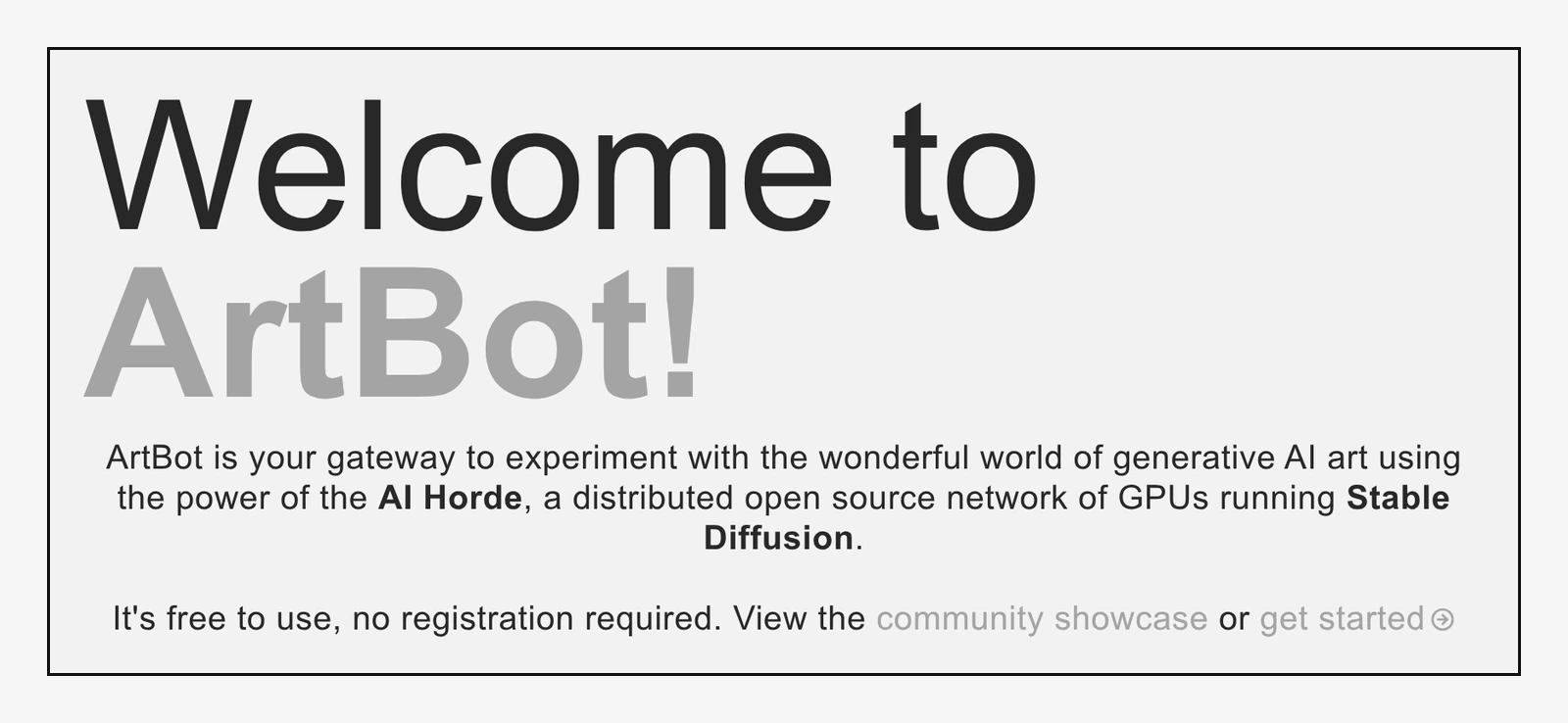
Live network status on November 21, 2026 showed more than 100 image models online across volunteer Dreamer nodes (the count swings as workers come and go), including Juggernaut XL, AlbedoBase XL, Pony/Illustrious anime checkpoints, and classic Stable Diffusion. Few no-login web tools give you raw sampler controls, negative prompts, and 100+ community checkpoints for $0.
Queue priority runs on Kudos, a non-monetary point system. Anonymous jobs sit at 0 Kudos behind registered accounts, so an image can take a few minutes and time out at peak times. ArtBot’s FAQ adds that pending requests get dropped after about 10 minutes and can disappear past 20. A free account is treated as having at least 25 Kudos (a priority floor your balance never drops below), and rating generated images or running an Alchemist post-processing worker on an old 2GB card bumps you up the queue.
One privacy caveat straight from AI Horde’s FAQ: volunteer workers never see your IP or username, yet open-source worker software means an operator can technically inspect prompts and outputs passing through their machine. Treat it like a public Discord room.
3. Hugging Face Spaces (ZeroGPU)
Most casual users think Hugging Face is a developer warehouse. Its Image Generation Spaces directory runs the newest open-weight models on enterprise hardware for free.
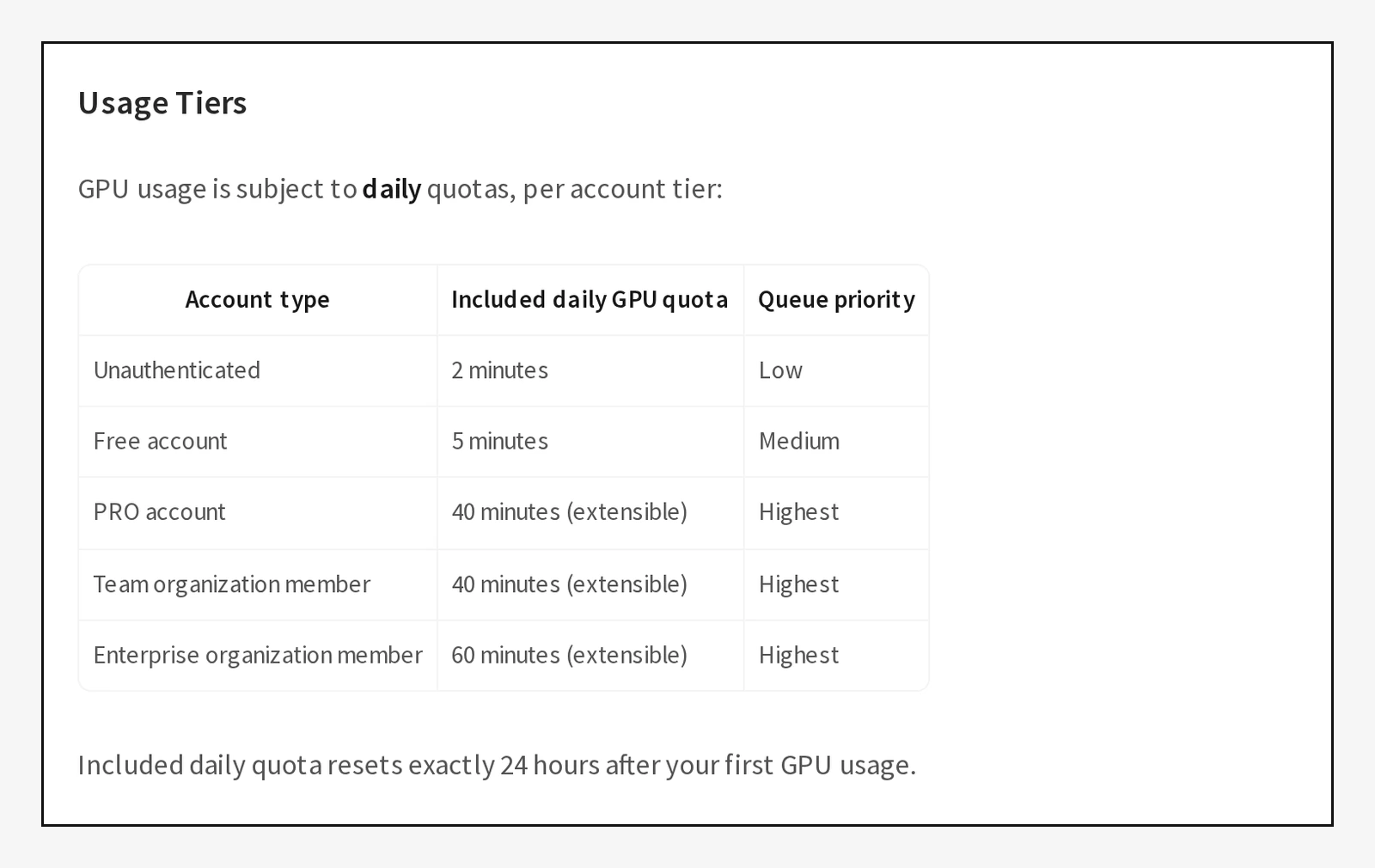
Under the hood, Hugging Face’s ZeroGPU infrastructure dynamically loans out NVIDIA RTX Pro 6000 Blackwell cards to public Gradio apps—48GB VRAM on standard large instances, or a full 96GB xlarge card at double quota burn. Unauthenticated visitors get 2 minutes of GPU time per day at low queue priority; creating a free account bumps that to 5 minutes a day at medium priority, resetting 24 hours after your first run. (Personal accounts with a verified email that are more than 30 days old can even host two ZeroGPU Gradio Spaces of their own.)
Checking live Space status on November 21, 2026, official RUNNING demos included Black Forest Labs’ FLUX.1-schnell and FLUX.2-dev, Alibaba’s Qwen-Image-2.1 (currently the top open-weight image model on Arena AI), and Z-Image-Turbo from Alibaba’s Tongyi Lab.
Because distilled models render in seconds, 5 minutes of Blackwell compute goes further than you expect. The same daily time covers the free AI video generators that run on Spaces. The snag is how Spaces reserve time. Going by developer reports on the Hugging Face forum, an author’s @spaces.GPU(duration=...) ceiling gets checked against your remaining quota upfront, so poorly tuned community Spaces can lock you out early even when an image finishes in 10 seconds.
How to Use Paid Frontier Image Models Completely Free
Most people pay about $20 a month for ChatGPT or Google AI plans just to use top-tier commercial models. Blind evaluation arenas flip that trade—you get frontier outputs free in exchange for voting on which image looks better.
4. Arena AI Image Arena
As of November 21, 2026, Arena AI’s crowdsourced Text-to-Image Leaderboard has tallied 7,045,110 human votes across 87 models—spanning commercial heavyweights like OpenAI’s GPT-Image-2.5 Sunburst ($0.04 median cost per image), Microsoft’s MAI-Image-2.7 ($0.03), Google’s Gemini Nano Banana 2.1, Reve 2.1, and Qwen-Image-3.0-Pro. When you prompt in Battle mode, two anonymous models render side by side and you pick a winner.
If you want a second blind arena, DesignArena works on a similar bargain: each prompt spins up four anonymous models in a mini-tournament covering images, websites, and apps (DesignArena methodology).
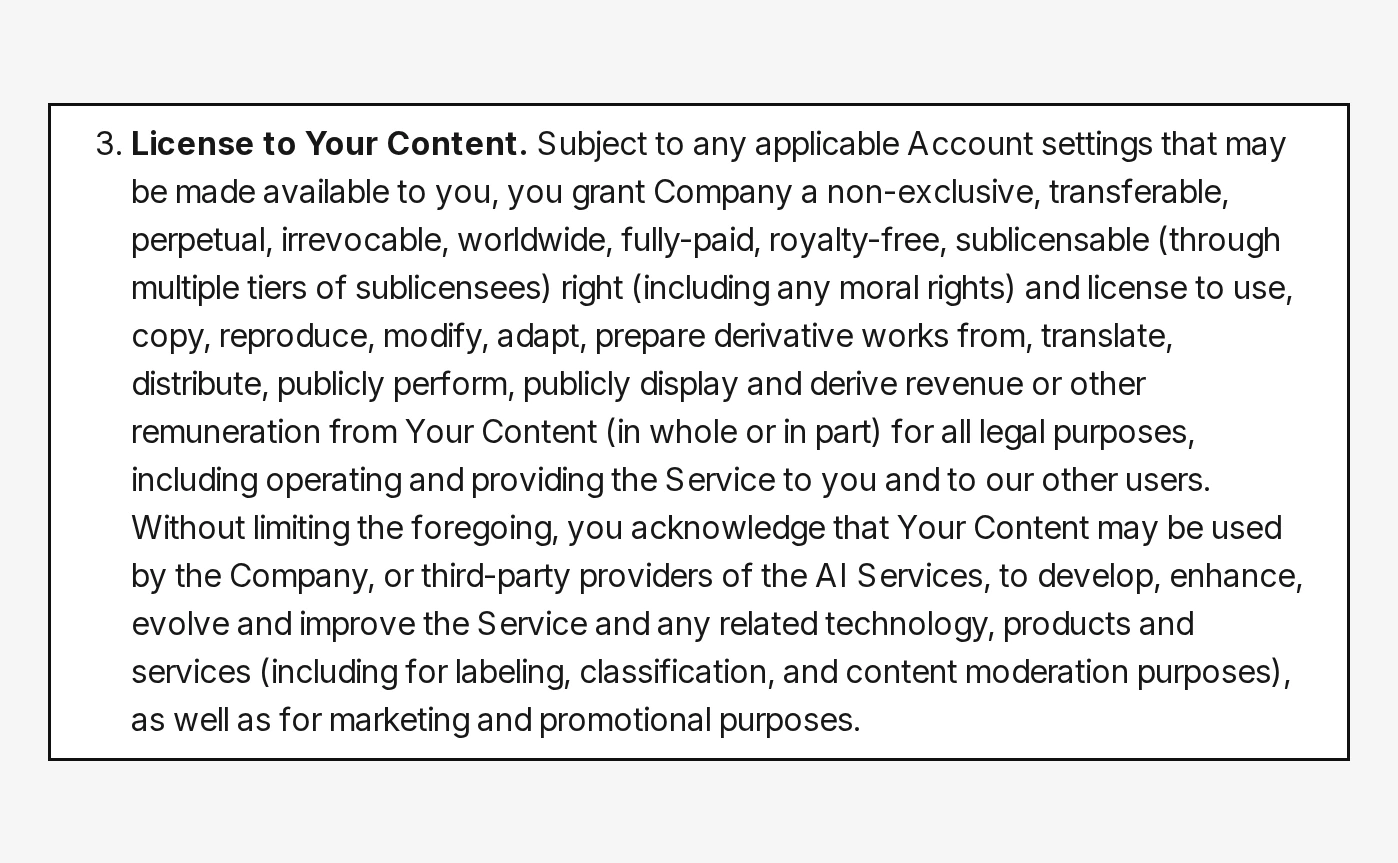
The catch on Arena AI sits in Section 3.3 of its Terms of Use (updated February 23, 2026). While Arena claims no ownership over what you generate, submitting a prompt grants Arena a perpetual, irrevocable, worldwide, royalty-free license to use, reproduce, and publicly display both your inputs and outputs for any legal purpose. You also agree that Arena and its third-party model providers can use them to improve their services and for marketing.
Use blind arenas freely for brainstorming, thumbnails, and mood boards. Keep confidential client assets off them.
Best Open-Source AI Image Generators That Skip the Python Headache
Running open-source AI image generators locally used to mean wrangling Python virtual environments, broken CUDA wheels, and tangled ComfyUI node graphs. These three completely free apps wrap modern open models inside proper creative interfaces.
5. Draw Things
Draw Things is the sleeper pick for Apple users. The core Free Edition costs $0 on macOS, iPhone, and iPad (Draw Things pricing), runs completely offline on Apple Silicon, and packs an Infinite Canvas plus local LoRA training.
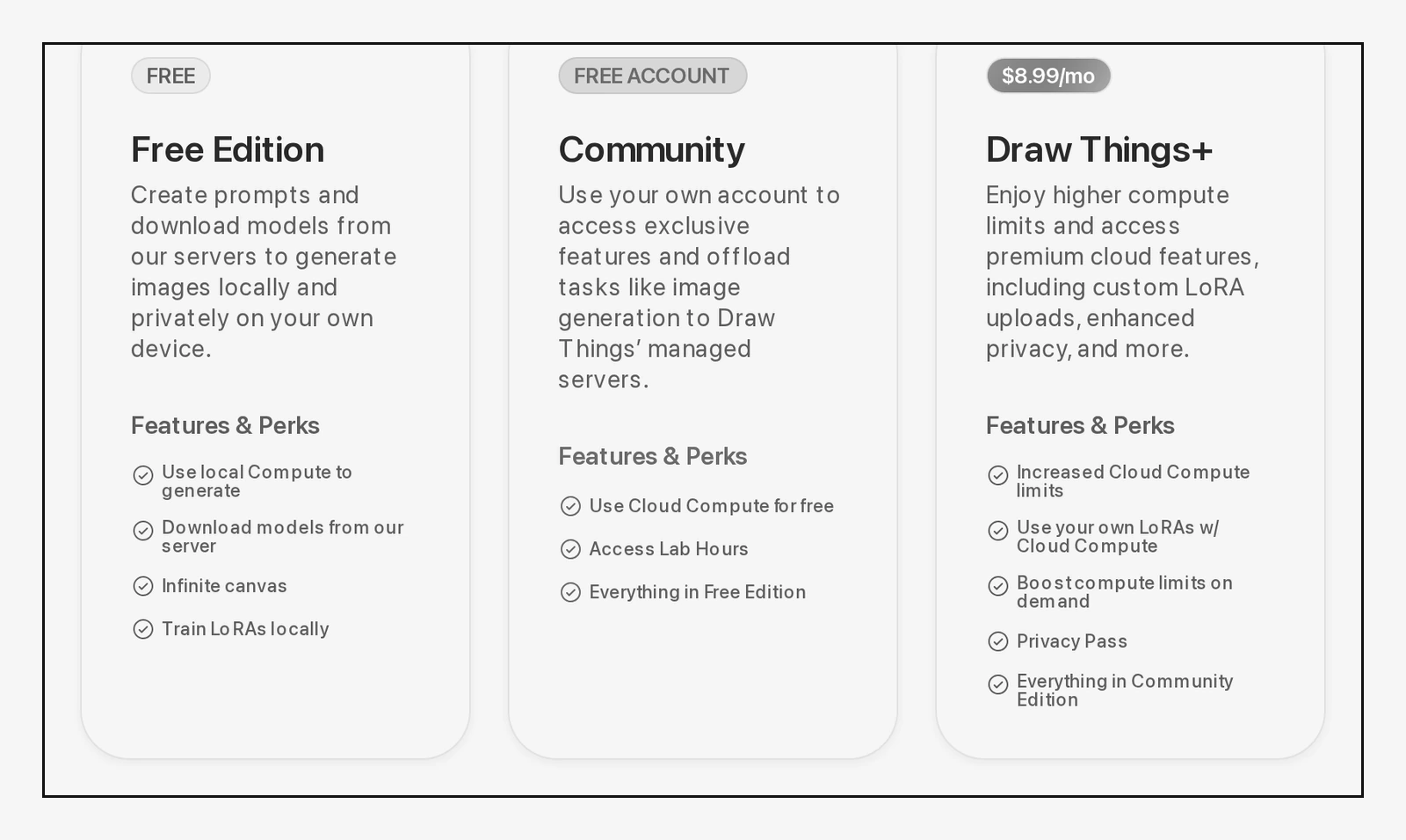
The model roster stays remarkably current. Release v26.1020.0 (October 22, 2026) on the Draw Things Downloads page added FLUX.3 [klein] 5.6B and MOSS Image on top of Qwen-Image 2.1, Ideogram 4, Krea 2, Anima, and SDXL. A 4-bit SpinQuant variant of Qwen-Image 2.1, added in September, cuts memory use on lower-power Macs and iPads.
Signing in with an Apple or Google account also opens Draw Things’ Community Cloud Compute tier on the developers’ NVIDIA servers at up to 15,000 Compute Units per job (Draw Things Cloud Compute wiki). The wiki’s glossary lists 30,000 during Lab Hours, which open now and then when the servers have spare capacity. That free cloud offload is restricted to official/community models (bringing your own custom LoRAs to the cloud requires the $8.99/month Draw Things+ plan), and there is zero Windows or Linux support.
6. Krita AI Diffusion
If you already paint or edit photos—or want Adobe’s Generative Fill without paying Adobe—Krita AI Diffusion turns the free, open-source Krita suite into a local AI studio under a GPL-3.0 license (10,922 GitHub stars, v1.53.0 latest stable).
Inside Krita on Windows, Linux, or macOS, the plugin gives you Selection Fill, outpainting, regional prompt layers, live canvas sketching, and Control Layers for depth or pose. Its Local Managed Server option in the installation docs downloads and wires a local ComfyUI backend automatically, so you skip terminal troubleshooting. (An optional paid interstice.cloud backend exists for weak hardware, though local mode is 100% free.)
It covers everything from SDXL and anime-focused Illustrious/NoobAI checkpoints to newer Krita AI base models like FLUX.1 Kontext, FLUX.2 Klein, and Z-Image Turbo. CPU mode crawls, so a real GPU matters, and Windows users should download Krita straight from krita.org because Store and Steam builds break package installs.
7. InvokeAI Community Edition
InvokeAI carries an unusual 2026 backstory. After Invoke’s team joined Adobe in October 2025 and its paid hosted platform shut down, no paid subscription tier remains—the Apache-2.0 open-source InvokeAI Community Edition (29,138 GitHub stars; v6.14.4 shipped November 3, 2026, with v7.0.0-beta.2 testing) is the entire product.
The one-click Invoke Launcher handles Python dependencies and updates for Windows 10+, macOS 14+, and Linux. Once open, its Unified Canvas works like an infinite layered artboard for mixing text-to-image, inpainting, outpainting, and batch generation without writing node spaghetti.
Here’s how the three local apps compare on hardware (InvokeAI’s figures come from its system requirements page):
| App | Platforms | Minimum GPU/RAM | Key 2026 models |
|---|---|---|---|
| Draw Things | macOS, iOS, iPadOS | Apple Silicon (or free cloud offload) | FLUX.3 [klein] 5.6B, Qwen-Image 2.1, MOSS, Ideogram 4 |
| Krita AI Diffusion | Windows, Linux, macOS | RTX 2060+, M1–M5, Arc 8GB+, ROCm AMD | FLUX.2 Klein 4B/9B, Z-Image Turbo, SDXL, Kontext |
| InvokeAI Community | Windows, Linux, macOS | 4GB–24GB VRAM; 16GB+ RAM on Mac | FLUX.2 Klein 4B/9B, Z-Image Turbo, Krea-2, FLUX.1, SDXL |
In InvokeAI, AMD GPUs are Linux-only, while quantized variants stretch mid-range NVIDIA cards further—8GB+ VRAM handles Z-Image Turbo (Q4_K) and FP8 FLUX.2 Klein 4B, while FLUX.2 Klein 9B and Krea-2 want 24GB at full precision, or roughly 12GB–16GB in FP8 or Q4_K form.
Why Popular “Free” Picks Didn’t Make This List
Search Google right now, and several newer “unlimited free” sites sit near the top of AI Overviews and recent blogs. Checking their actual pricing and help docs tells a different story:
- Raphael AI: Google’s own AI Overview calls Raphael AI completely free and unlimited, and one top-ranking competitor repeats that it carries zero watermarks. Its actual pricing page states bluntly: “Free images include a watermark. Upgrade for clean outputs, faster generation, and commercial use” (Pro runs $10/month billed yearly, against a $20 list price)—and the site’s own
llms.txtfile warns that look-alike domains are brand-jacking the name. - Vheer: Homepage copy pitches unlimited, no-signup image generation. Vheer’s pricing page gives the Free plan 50 credits a month, basic image generation, and personal use only, with commercial rights and premium models on its $9.99/month Premium tier.
- Google ImageFX and Whisk: Blogs updated as recently as this week still rank “ImageFX” as a standalone free generator. Google folded ImageFX and Whisk into Google Flow earlier in 2026—and Flow’s official help page caps non-subscribers at 50 credits a day with no rollover (and Flow’s watermark page says its outputs carry an invisible SynthID watermark).
- ChatGPT, Gemini, Leonardo, Ideogram, Firefly, and Canva: Great products, wrong category. They meter free users with tight daily, weekly, or monthly allowances, push flagship models up a tier, or put free work into public galleries. If one flat bill for text, images, and video beats juggling free limits, check Tech Unbloated’s breakdown of the best AI subscription for personal use or browse the full AI subscription comparison.
What Users Across Reddit, Bluesky, Hacker News, and Forums Report
Specs look tidy on a pricing table; how these free tools feel in day-to-day workflows shows up in recent user threads from late October and November 2026.
- Paid wrappers vs. open tools: On Bluesky in late October, one user summed up why desktop editors stay sticky—Krita and GIMP cover a lot of what people buy AI skins for, while most paid knockoffs just mark up the same few diffusion APIs. Weeks later in November, another creator linked
Acly/krita-ai-diffusionand wrote that they’d just found it and were “MIND-BLOWN”. - Local speed on mid-range gear: On Hacker News in late October, a commenter using ComfyUI with Qwen Image 2.1 or FIBO2 to denoise and sharpen photos said their 3060 handles a 2K image in 40 seconds.
- Hugging Face ZeroGPU quirks: A November
r/LocalLLaMApost noted free personal accounts get 2 ZeroGPU Gradio Spaces and roughly 5 minutes a day on RTX Pro 6000 Blackwell, while noting an inconsistent rollout where some eligible free accounts still saw a paid prompt. On the Hugging Face Forums in late October, one developer complained that 40-second jobs were reserving 180 seconds, and a reply explained that the requested duration gets checked against your quota before the call runs.
Free AI Image Generator FAQ
Is There a Completely Free AI Image Generator With No Watermark?
Yes. None of the seven picks stamps a visible logo or trial watermark of its own on your downloads (though Google models served inside Arena AI can still embed Google’s invisible SynthID tag).
Which Free AI Image Generator Works With No Login or Sign-Up?
Perchance, ArtBot (on AI Horde), and Hugging Face ZeroGPU Spaces all run directly in your browser without an account. Expect banner ads on Perchance, slower 0-Kudos priority on AI Horde, and a strict 2-minute daily cap on unauthenticated Hugging Face Spaces.
Can I Use Free AI-Generated Images Commercially?
Depends on the platform terms and model weights. Perchance adds no commercial restriction of its own, while local open-source tools depend on the license attached to whichever model file you download. Keep confidential client work off AI Horde and Arena AI, since prompts cross volunteer machines or grant broad model-improvement rights.
Do I Need a Gaming PC to Run an Open-Source AI Image Generator?
Not always, though local speed drops quickly without dedicated graphics memory. Mac, iPhone, and iPad users can run quantized models offline via Draw Things or use its free Community Cloud, while Windows and Linux machines with less than 4GB–8GB of VRAM are better served by Hugging Face ZeroGPU Spaces or AI Horde in a browser.
Pick the tradeoff you can live with—ads, a volunteer queue, blind votes, or your own silicon—and stop paying $20 a month for credits on models you can run for zero.

Ali Arslan
Ali began his journey as a full-time Tech Journalist in 2021. He’s been a tech enthusiast all his life, starting with a 286 PC gifted to him at the age of 7.
With time, he’s grown into a power user of Android, Linux, Windows, and all things AI, which are the main focus of his writing here at Tech Unbloated. He’s also got a proficient track record for bricking (and sometimes unbricking) Android phones while trying to push the hardware and software to their limits.
Ali has an Advanced Diploma in Business Management from London, UK, and is an English Literature graduate from Punjab University, Pakistan. Other than Tech Unbloated, he’s written for big tech publications like MakeTechEasier, MakeUseOf, How-To Geek, and LimeWire—however, most of his previous work was as a ghostwriter for high-profile clients.
Before becoming a full-time writer, Ali tried his luck at music production, graphic design, teaching, business management, web development, and dropshipping. His writing often reflects all these experiences he’s had in life.
Discussion
Corrections, disagreements, and the thing I missed. Comments are read before they go up.
No comments yet. Go on—be first, and make it count.
Comments stay off until you say so.
Enable comments in cookie preferences to read and join the thread. No login. No ads in the box.