“Just use the Linux alternative” is great advice right up until your job runs on Excel macros or a client sends you PSDs.
Some Windows apps run fine on Linux, some run with hiccups, and a few still get the honest answer: “you can’t, not properly.” It comes down to picking the right tool for the app.
Quick Answer
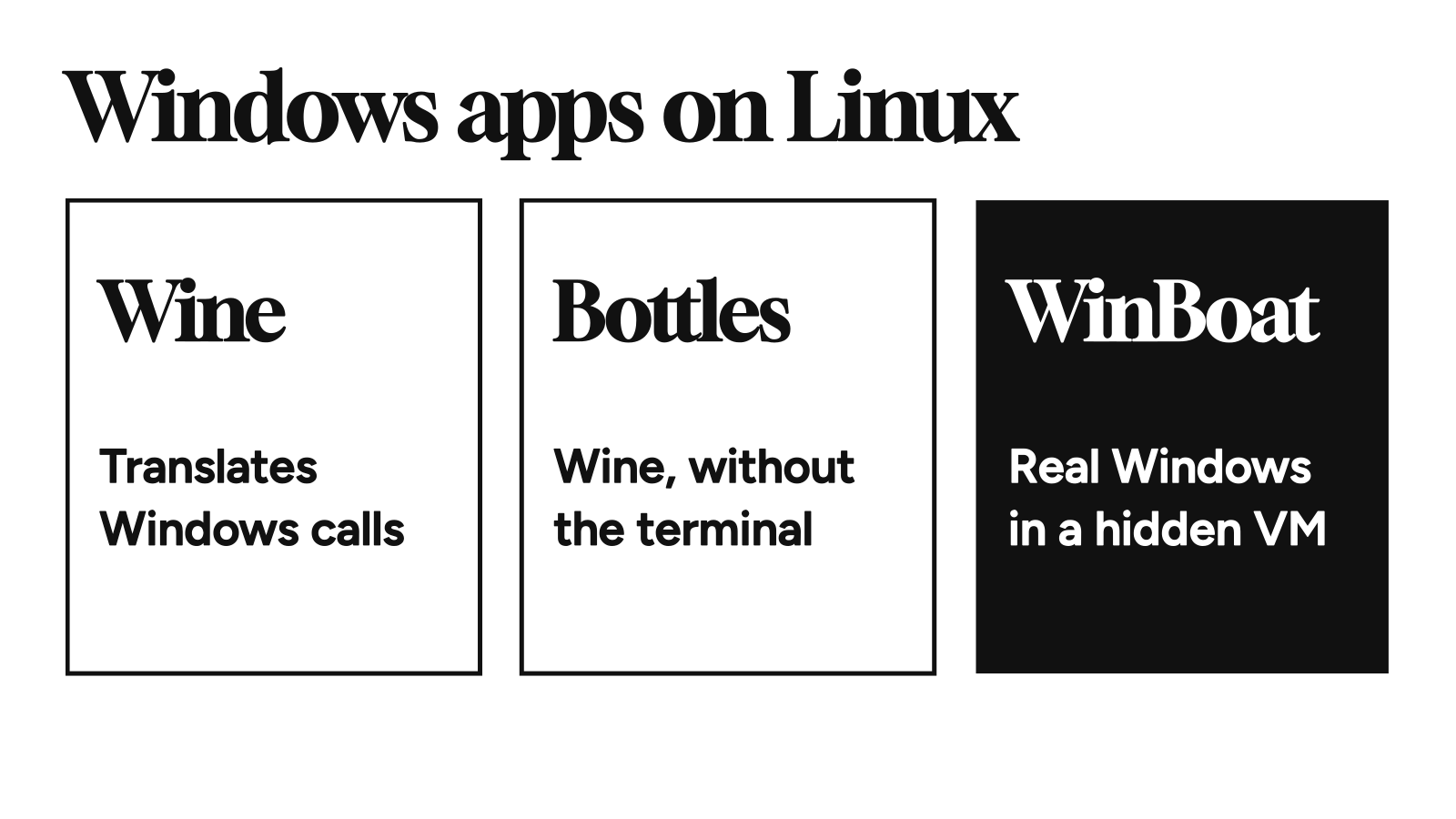
- Wine (11.0) translates a Windows program’s calls so it runs directly on Linux. Free, light, and hit or miss per app.
- Bottles (67.6) is Wine with a proper app around it. Start here.
- WinBoat (0.9.2) runs real Windows in a hidden virtual machine and shows each app as its own Linux window. It handles what Wine can’t, but it’s beta and needs a Windows license.
- WinApps does the same trick with more setup by hand.
- Microsoft Office: use the free web versions.
- Photoshop: there’s no Linux version, and Wine only gets you partway.
- Look-alikes: ArtCraft’s free, open-source apps are built to work like the Office and Adobe ones and run natively on Linux. All of them are alpha.
- Games: use Steam’s Proton and check ProtonDB.
Versions checked on November 15, 2026.
Wine vs Bottles vs WinBoat
| Wine | Bottles | WinBoat | WinApps | |
|---|---|---|---|---|
| Windows license | No | No | Yes | Yes |
| GPU acceleration | Yes | Yes | Not until 1.0 | Not out of the box |
| Install | Your distro’s packages | Flatpak from Flathub | AppImage, .deb, or .rpm | A script, after you build the VM |
| Best for | Older or simple apps | The same apps, minus the terminal | Office, Adobe, and anything Wine breaks | The same, if you want to tune the VM |
Pick the lightest one that runs your app.
Wine: The Translation Layer
Wine doesn’t simulate a PC. It translates Windows calls into Linux ones on the fly, so there’s no virtual machine eating your RAM. The catch is coverage: every app leans on different pieces of Windows, and Wine hasn’t rebuilt them all.
So look your app up in the Wine Application Database first. Ratings run from Platinum (works out of the box) through Gold, Silver, and Bronze down to Garbage (unusable). Check the Wine version on a rating before you trust it. A Gold earned on Wine 4.0 says very little about Wine 11.
Bottles: Wine Without the Terminal
Each program gets its own bottle, so a broken .NET install for one app stays in that app’s bottle. Dependencies like Visual C++ install with a click.
flatpak install flathub com.usebottles.bottles
- Open Bottles, click +, and pick the Application environment.
- Open the new bottle, click Run executable, and choose your app’s Windows installer.
If Bottles can’t see the installer, that’s the Flatpak sandbox. The top fix in an April r/linuxmint thread was to grant file access with Flatseal, or move the .exe into the bottle’s drive_c folder.
Small self-contained utilities do fine. Big commercial suites mostly don’t.
WinBoat: When Wine Gives Up
WinBoat installs real Windows into a virtual machine inside a Docker or Podman container, then draws each Windows program as its own window on your Linux desktop. Your home folder shows up inside Windows, so files move both ways. Because it’s actual Windows, compatibility mostly stops being a question.
The catches:
- It’s beta. Expect some troubleshooting.
- No GPU acceleration yet. The release notes promise it for 1.0. Fine for spreadsheets, a dealbreaker for anything leaning on the graphics card.
- It’s heavy. You need at least 4 GB of RAM, 32 GB of free disk, and KVM enabled. Docker Desktop isn’t supported, so use plain Docker or Podman.
- Update if you’re on 0.9.0. Later versions patched a flaw that let attackers run commands inside the VM.
WinApps: The Do-It-Yourself Version
WinApps works the same way, but you build the Windows VM and write the config file yourself. In return, it also runs on libvirt and opens files in Windows apps from a right-click in your file manager. Everyone else should start with WinBoat.
Can You Run Microsoft Office on Linux?
Yes, three ways, and only one of them is easy.
The web apps. Microsoft gives you Word, Excel, and PowerPoint in the browser for free with a Microsoft account. For most documents, that’s the whole answer.
Wine. The older the Office, the better it behaves. In the AppDB, Office 2010 rates Gold and 32-bit Office 2016 rates Silver, while Office 2021 and Microsoft 365 both rate Garbage.
WinBoat. If you need desktop Excel with macros or Outlook with every add-in, a real Windows VM is the dependable route.
Can You Run Photoshop on Linux?
Not natively. Adobe’s Creative Cloud requirements cover Windows and macOS only.
Wine gets you partway. The AppDB rates every release from CC 2019 to CC 2024 Silver: usable for normal editing, with problems that have no fix. It has no entry for anything newer.
If your income depends on Photoshop, keep a Windows machine or a WinBoat VM for that one app and run everything else natively.
When a Native Replacement Is the Better Call
The rule I’d use: replace the app when the files are standard, run the Windows version when they’re not.
The usual picks are LibreOffice or OnlyOffice for Office, GIMP for Photoshop, and darktable for Lightroom. All of them make you learn a new app.
ArtCraft’s Crafting Apps skip that part. They’re seventeen free, open-source apps, each built to work like the program it replaces: WordCraft, GridCraft, and DeckCraft for Office, PhotoCraft for Photoshop, and LightCraft for Lightroom, with more for video, PDFs, and audio. They run natively on Linux and open the same .docx, .xlsx, .pptx, and PSD files.
All of them are alpha, so try them on copies of your files. GridCraft also drops VBA macros when it opens a workbook.
Cloning how a commercial app looks and works is a legal gray area, but it’s a gray area for the developers. The code sits in public on GitHub, which Microsoft owns, Office clones included. For someone who just downloads the apps and uses them, I don’t see a problem. That’s just my opinion—not legal advice.
Is It Safe to Run Windows Apps on Linux?
Only as safe as the app. The Wine FAQ is blunt about it: Wine doesn’t sandbox anything, so a Windows program can do whatever your Linux user can. Never run it with sudo.
Bottles’ Flatpak sandbox limits a program to the folders you grant. WinBoat and WinApps keep a bad program off your Linux system, but not away from your files, because your home folder is mounted inside Windows.
For an installer you don’t trust, use a plain virtual machine and keep a backup.
What About Games?
Don’t use any of the above for Steam games. Valve’s Proton is Wine wired into Steam, built so a Windows game runs when you click Play.
Check the game on ProtonDB first, and read the newest reports because a game an update broke can still show Platinum. For multiplayer games, check Are We Anti-Cheat Yet? too.
WinBoat makes “just run the Windows app” a real option for the programs Wine can’t handle. It’s also a full copy of Windows hiding inside your Linux box—which is either the perfect compromise or a very roundabout way of keeping Windows.

Ali Arslan
Ali began his journey as a full-time Tech Journalist in 2021. He’s been a tech enthusiast all his life, starting with a 286 PC gifted to him at the age of 7.
With time, he’s grown into a power user of Android, Linux, Windows, and all things AI, which are the main focus of his writing here at Tech Unbloated. He’s also got a proficient track record for bricking (and sometimes unbricking) Android phones while trying to push the hardware and software to their limits.
Ali has an Advanced Diploma in Business Management from London, UK, and is an English Literature graduate from Punjab University, Pakistan. Other than Tech Unbloated, he’s written for big tech publications like MakeTechEasier, MakeUseOf, How-To Geek, and LimeWire—however, most of his previous work was as a ghostwriter for high-profile clients.
Before becoming a full-time writer, Ali tried his luck at music production, graphic design, teaching, business management, web development, and dropshipping. His writing often reflects all these experiences he’s had in life.
Discussion
Corrections, disagreements, and the thing I missed. Comments are read before they go up.
No comments yet. Go on—be first, and make it count.
Comments stay off until you say so.
Enable comments in cookie preferences to read and join the thread. No login. No ads in the box.